Business Automation: How Modern Companies Save Time, Scale Faster, and Grow Smarter
A practical guide to business automation, workflow automation, CRM automation, lead generation automation, and the tools modern companies use to reduce manual work.
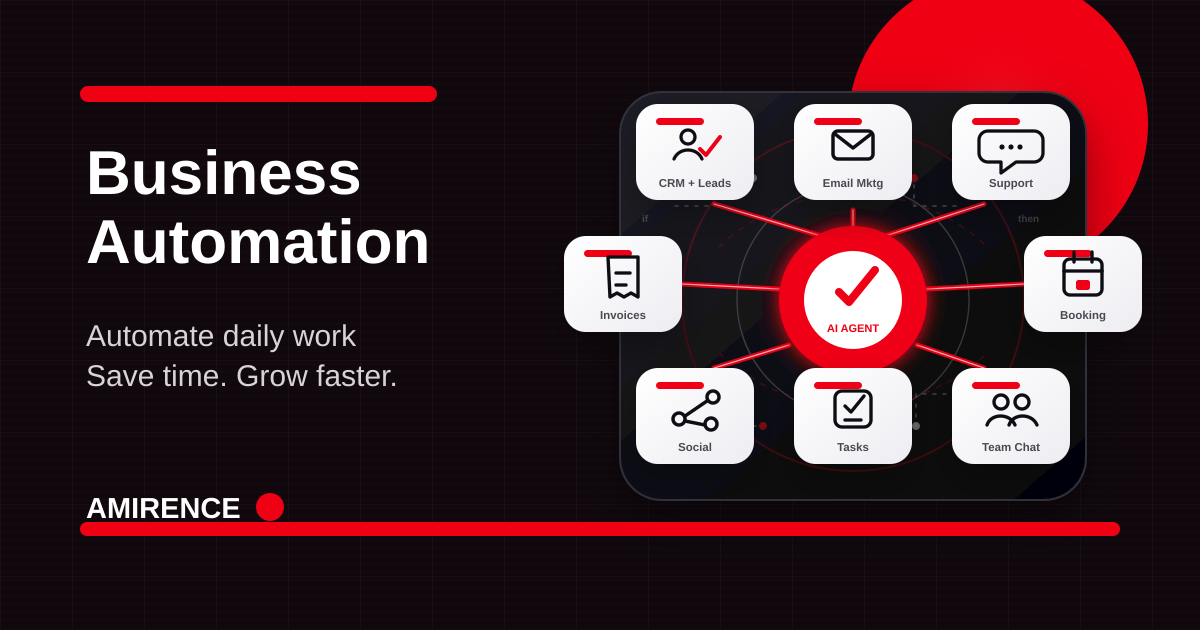
Business automation is no longer a luxury reserved for large companies with complex enterprise systems. Modern businesses of every size can now automate daily work, connect their tools, reduce manual effort, and create faster customer experiences without building everything from scratch.
The real value is not only saving a few minutes on a task. The value is building a business that responds faster, follows up consistently, makes fewer mistakes, and gives owners and teams more time to focus on growth, sales, strategy, and stronger customer relationships.
What Business Automation Means Today
Business automation is the use of software, AI, integrations, and workflow rules to complete repeatable tasks with less human input. A workflow can start when a customer submits a form, books a call, pays an invoice, asks a support question, joins an email list, or moves to a new stage in a CRM system.
A simple workflow might capture a lead, add the contact to a CRM, send a personalized email, create a sales task, notify the team, and schedule a follow-up. A more advanced workflow might include an AI chatbot, lead scoring, invoice reminders, social media scheduling, and management reporting.
Daily Work Modern Businesses Can Automate
Customer support
AI chatbots, help desk tools, and knowledge base automation can answer common questions, collect missing details, route tickets, and prepare reply drafts. Tools such as Intercom, Zendesk, Freshdesk, and custom AI assistants can help teams respond faster while keeping human review for sensitive issues.
Email marketing
Email automation platforms can welcome new subscribers, send lead nurturing sequences, follow up after purchases, re-engage inactive contacts, and segment audiences based on behavior. Mailchimp, HubSpot, Klaviyo, ConvertKit, and ActiveCampaign are common examples.
Lead generation and CRM updates
CRM systems such as HubSpot, Salesforce, Zoho CRM, and Pipedrive can organize contacts, track deal stages, score leads, trigger reminders, and make sure no inquiry disappears in an inbox. This is one of the highest-impact areas for small business automation because speed matters in sales.
Task management
Project management tools can turn forms, emails, sales calls, or support tickets into tasks with owners, deadlines, priorities, and status updates. Asana, Trello, ClickUp, Monday.com, and Notion help teams keep work visible instead of relying on memory and scattered messages.
Invoicing and payment follow-up
Invoicing automation can create invoices, send payment reminders, mark invoices as paid, alert the finance team, and reduce awkward manual follow-ups. QuickBooks, Xero, Stripe, FreshBooks, and Wave are common tools for this type of workflow.
Social media posting
Social media scheduling tools let businesses plan content in batches, publish at the right time, repurpose posts across channels, and track engagement. Buffer, Hootsuite, Later, and Metricool can help teams stay consistent without manually posting every day.
Appointment booking
Appointment automation removes the back-and-forth of scheduling. Tools like Calendly, TidyCal, Google Calendar appointment schedules, and Acuity Scheduling can show availability, collect details, send reminders, and reduce no-shows.
Team communication
Automation can send the right alerts to Slack, Microsoft Teams, or email when a lead arrives, a deal closes, an invoice is overdue, a task is blocked, or a customer needs attention. This keeps teams aligned without adding more meetings.
How Automation Saves Time and Increases Growth
Manual work slows growth because it depends on someone remembering every step. Automation creates a reliable process. Leads are captured instantly, customers receive faster responses, invoices are followed up on time, and team members know what needs attention.
This improves productivity because people spend less time copying data, chasing updates, searching for information, and repeating the same replies. It also minimizes human errors such as missed follow-ups, duplicate records, wrong invoice details, forgotten tasks, and inconsistent customer communication.
For business owners, the biggest benefit is focus. When daily operations run with clear workflows, owners can spend more time on sales conversations, partnerships, service quality, product development, and strategic growth instead of admin work.
Automation Tools Businesses Commonly Use
- CRM systems: HubSpot, Salesforce, Zoho CRM, and Pipedrive for leads, contacts, pipelines, and follow-ups.
- AI chatbots: Intercom, Zendesk AI, Chatbase, and custom AI assistants for support, qualification, and internal knowledge search.
- Email automation platforms: Mailchimp, Klaviyo, ConvertKit, ActiveCampaign, and HubSpot for campaigns, sequences, and segmentation.
- Project management tools: Asana, Trello, ClickUp, Monday.com, and Notion for tasks, projects, deadlines, and team visibility.
- Workflow automation software: Zapier, Make, n8n, Microsoft Power Automate, and custom API integrations for connecting apps together.
How Small Businesses Benefit From Automation
Small businesses usually feel automation immediately because the same person may be handling sales, support, operations, delivery, and finance. Automating lead capture, appointment booking, review requests, invoices, and common support replies can save hours every week without adding headcount.
How Startups Benefit From Automation
Startups need speed and consistency. Automation helps founders qualify leads, onboard users, collect feedback, track product requests, coordinate teams, and move faster without building a large operations department too early.
How Large Companies Benefit From Automation
Larger companies benefit from standardization. Automation can connect departments, reduce duplicate data entry, enforce approval workflows, improve reporting, and make customer experiences more consistent across support, sales, marketing, finance, and operations.
How to Start Automating Without Overcomplicating It
Start with one repetitive process that already costs time or creates mistakes. Map the trigger, the required data, the decision points, the tool connections, and the final outcome. Then automate the smallest useful version and measure the result.
A practical first workflow might be: website form to CRM, CRM to email sequence, email sequence to sales task, and sales task to team notification. Once that is reliable, add lead scoring, AI summary generation, calendar booking, or invoice automation.
Recommended Internal Links
If you want to automate daily work in your business, start with AI automation services, review API and backend integration options, compare UAE AI web development, or send your current workflow for a practical recommendation.
Final Thoughts
Business automation works best when it is simple, measurable, and connected to growth. The goal is not to automate everything at once. The goal is to remove repeated manual work, improve accuracy, protect customer experience, and give the team more time for the work that actually moves the business forward.
FAQ
- What is business automation?
- Business automation uses software, AI, and workflow rules to complete repeatable tasks such as lead capture, follow-ups, support replies, invoicing, task assignment, appointment booking, and reporting with less manual effort.
- Which daily business tasks can be automated first?
- Good starting points include customer support questions, email marketing sequences, lead generation forms, CRM updates, invoice reminders, social media scheduling, appointment booking, and team task notifications.
- Do small businesses need automation?
- Yes. Small business automation is often most useful when owners are handling sales, operations, support, and delivery at the same time. A few focused workflows can save hours each week.
- Will automation replace employees?
- The best automation supports people instead of replacing judgment. It removes repetitive work, prepares information, reduces errors, and gives teams more time for sales, strategy, and customer relationships.